
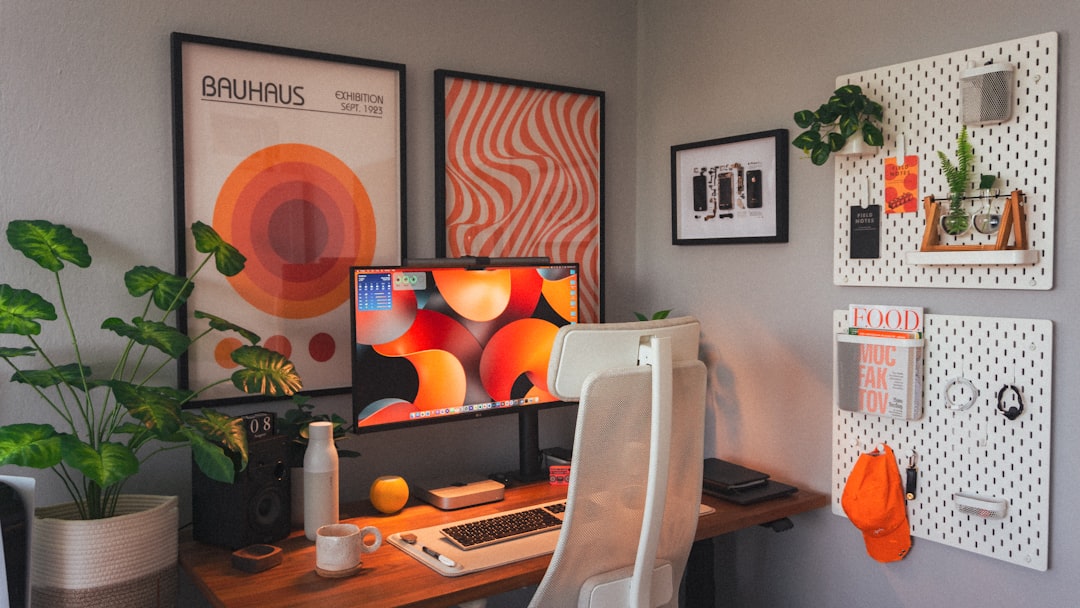
Photo by Matúš Gocman on Unsplash
Why a Clean Workspace Matters for Designers
A cluttered environment can hinder creativity and slow down your workflow. Keeping your physical and digital spaces organized helps maintain focus and reduces time spent searching for tools or files. For designers working extensively in Photoshop, this principle becomes even more critical. The software itself can become overwhelming with numerous panels, layers, and tools visible simultaneously, making physical workspace organization equally important for mental clarity.
Physical Workspace Organization
- Declutter your desk: Remove unnecessary items and keep only essential tools within reach. This includes physical design tools like sketch pads, reference materials, and color swatches. A clear desk surface allows for better focus and faster access to what you need. Consider using drawer organizers or desktop trays to keep smaller items sorted and easily accessible.
- Organize cables: Use cable ties or clips to prevent tangling and improve airflow around your computer. This not only looks better but also prevents accidental disconnections during important work sessions. Label each cable with small tags indicating which device it connects to, saving valuable setup time when rearranging your workspace.
- Maintain hardware: Regularly clean your keyboard, mouse, and monitor to prevent dust buildup and ensure optimal performance. Use compressed air for keyboards and mice, microfiber cloths for screens, and isopropyl alcohol for deeper sanitization. Clean hardware not only functions better but also creates a more pleasant working environment and extends equipment lifespan.
Digital File Management in Photoshop
Efficient file organization in Photoshop saves time and reduces stress. Create a consistent folder structure for projects, use descriptive filenames, and archive old files to external storage. Your Photoshop workspace benefits greatly from structured digital organization. Consider organizing files by client, project type, or date. Use naming conventions that include dates, version numbers, and brief descriptions. For example: ‘ClientName_ProjectName_Version01_2024-01-15.psd’. This system prevents confusion when multiple versions exist and makes it easy to locate specific iterations.
Photoshop-Specific Organization Tips
Beyond general file management, optimize your Photoshop workspace itself. Customize your toolbar by removing rarely-used tools and grouping frequently-used ones together. Create multiple workspace presets for different tasks – a ‘photo retouching’ layout, a ‘web design’ layout, and a ‘illustration’ layout. Save these presets so you can switch between them instantly. Use layer groups effectively, naming each group descriptively and collapsing those not currently in use. This keeps the Layers panel manageable even in complex compositions.
Actionable Takeaways
- Schedule weekly cleanups: Dedicate 15 minutes each week to tidy your workspace and update your file system. Consistency is more important than intensive cleaning sessions. Set a recurring calendar reminder and treat it as seriously as any client deadline.
- Use keyboard shortcuts: Master Photoshop shortcuts to minimize mouse usage and speed up tasks. Learn at least 10 core shortcuts first: Ctrl+C/Cmd+C (copy), Ctrl+V/Cmd+V (paste), Ctrl+Z/Cmd+Z (undo), Ctrl+T/Cmd+T (transform), and others relevant to your primary workflow.
- Invest in a standing desk: Alternating between sitting and standing can improve posture and energy levels. Even a simple adjustable monitor stand can help achieve better ergonomics. Take micro-breaks every 30-45 minutes to stretch and move around.
- Create a daily shutdown routine: End each workday by closing unnecessary programs, filing away completed work, and preparing your workspace for tomorrow. This ritual reduces Monday morning stress and maintains momentum throughout the week.
Advanced Cleaning Strategies for Peak Performance
Once basic organization is established, implement advanced strategies for maximum efficiency. Color-code your file folders and project elements to create visual cues that speed recognition. Use Photoshop’s built-in automation features like Batch Processing to handle repetitive cleanup tasks. Set up Actions that automatically save files in multiple formats, resize images, or apply standard adjustments. This technology integration transforms cleaning from a chore into an enhancement of your creative process.
Maintaining Your System Long-Term
The key to successful workspace cleaning is making it sustainable. Start with small changes and gradually build more comprehensive systems. Celebrate small wins – notice how much faster you find things after implementing a new filing system. Share your system with team members to ensure consistency in collaborative environments. Document your processes so new team members can quickly adopt your methods. Regular maintenance beats occasional deep cleaning every time.
Conclusion
A clean and organized workspace directly impacts your efficiency and creativity. By implementing these cleaning tips, you can streamline your Photoshop workflow and achieve better results with less effort. The investment in organizing your physical and digital spaces pays dividends in reduced stress, faster project completion, and improved design quality. Remember that organization is not a one-time task but an ongoing practice that evolves with your career. Start with one or two strategies today and gradually incorporate more as they become habits. Your future self will thank you for the clarity, efficiency, and creative freedom that comes with a well-maintained workspace. The difference between struggling with a cluttered environment and thriving in an organized one is simply transformative for any designer’s professional growth and personal satisfaction.